A report should help you find the information you want to discuss. Start with the question, then choose the part of the history that shows it.
If your doctor requested a particular period or observation, follow that request.
One day: the sequence of events
One day can show feeds, naps, nappy changes and other entries in order. Choose today or any recorded day in Pola.
Today is still incomplete. Its summary is not the record of a finished 24-hour day.
7 or 14 days: consecutive days to compare
A week keeps the history manageable. Two weeks may help show entries before and after a change, provided both parts fall within the dates selected.
These are convenient app presets, not medical recommendations for observation periods.
30 days: a broader history
A month brings together more days of feeding, sleep or other records when you want to discuss a change over time.
Growth charts are a special case: they show available measurements since birth, with the report period highlighted.
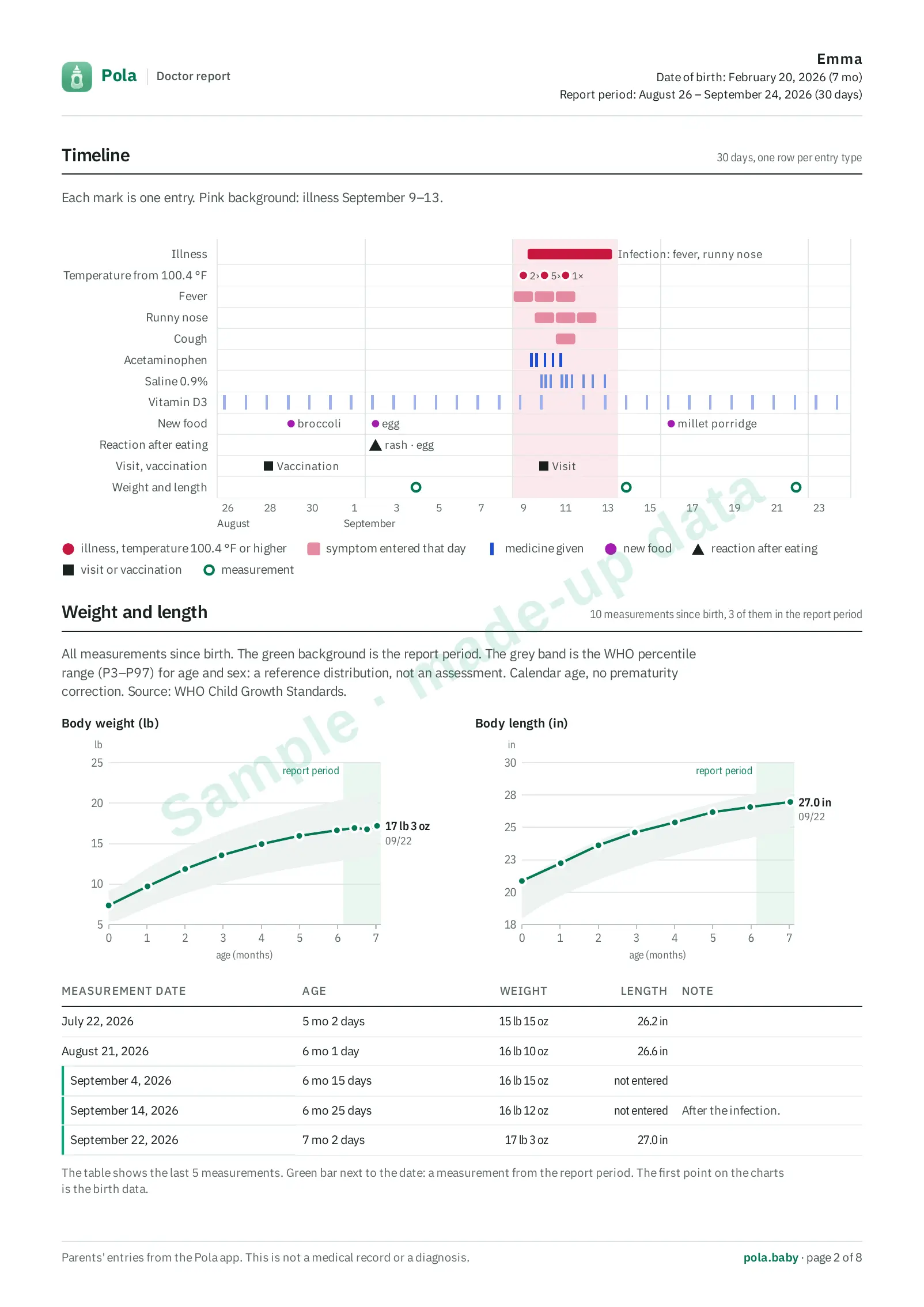 The growth charts cover everything since birth; the shaded part is the report period.
Custom dates: match the question
Choose your own start and end when presets do not fit. Pola supports a custom range of up to 92 days.
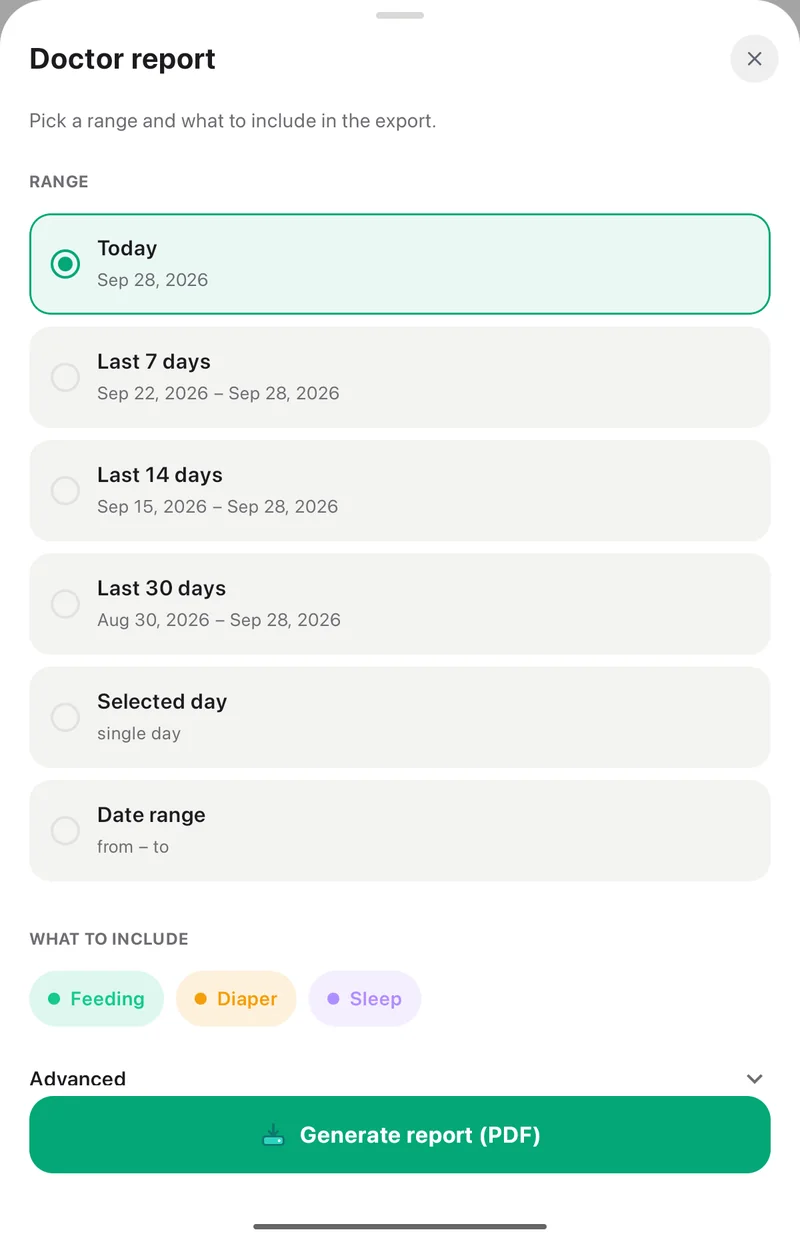 Presets at the top, a single day or your own dates below.
Then check the sections. A question about medicine may not require the meal history or every other category.
Check the file before your visit
PDF reports are part of Pola Plus. Review the dates and entries, and tell the doctor about any gaps.
The eight-page report on the website is one sample. The length of your own PDF depends on its data and selected sections.