After several wakings, sleep times can blur together. A journal keeps those times available so you can check the day without reconstructing it from memory.
Use a timer or enter times manually
In Pola, start a timer when your baby falls asleep and stop it when they wake. You can also enter start and end times yourself.
If you forget to stop the timer, correct the end time. Leaving it running after your baby wakes inflates the recorded duration. Bear approximate times in mind when discussing the history.
Review several days
One nap is only part of a day. Looking at consecutive days helps you find when sleep was recorded and which entries differ from the others.
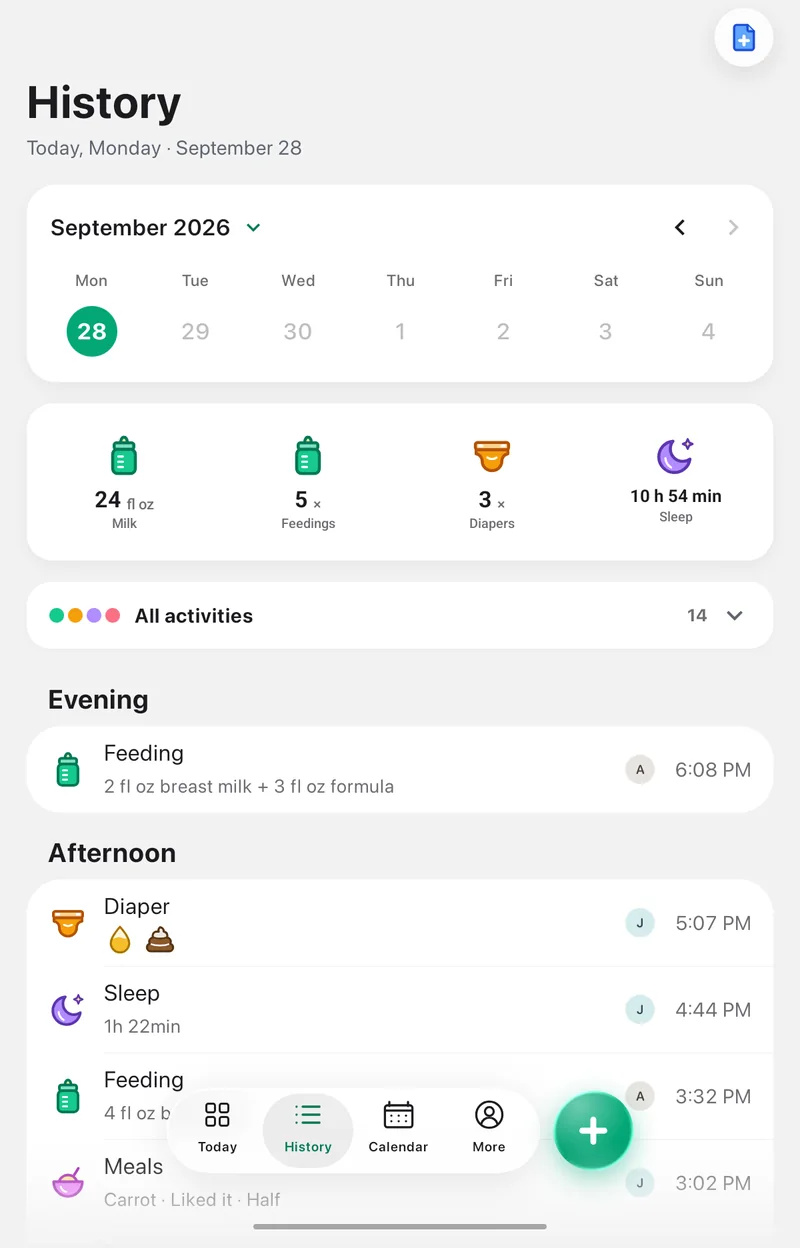 A nap makes more sense next to the feeds around it.
Sleep appears beside feeds and nappies, making it easier to find a nap before a particular feed or review a night.
Describe a change you want to discuss
A useful note might say: “Bedtime has been about an hour later for the past four days.” Keep the dates and available history for your appointment.
The summary does not assess whether sleep is sufficient or explain a change. Discuss concerns with your baby's doctor.
Shared care and offline logging
The sleep journal is free. Sharing with additional caregivers requires Pola Plus and depends on their permissions.
The timer can appear as a Live Activity on iPhone or an ongoing notification on Android, depending on the device and system settings. Logging works offline. Another phone receives changes after syncing, which requires an internet connection.
Include sleep in a report
A Pola Plus PDF can include sleep for the selected period. Check timer entries and correct known errors before generating it.
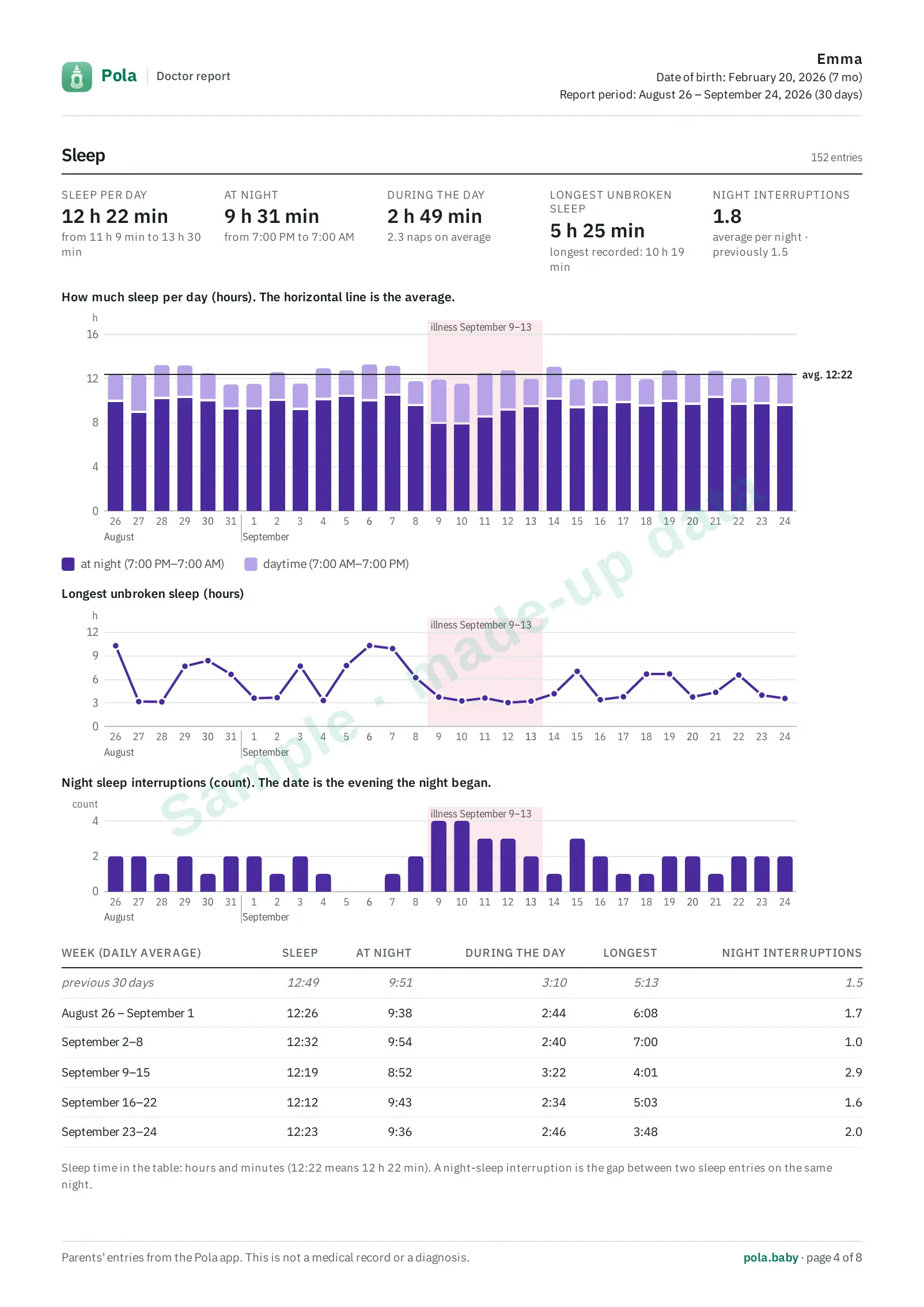 Day and night sleep, the longest stretch and night wake-ups on one page.
A nap that was not logged will not be added automatically.